Overview

The Connection Manager is an essential component of dReveal Enterprise, enabling effective data management and interaction with databases. Its ability to establish and manage secure, efficient database connections is paramount. Our connection management tool simplifies this task, allowing users to interact with databases seamlessly and securely. In this introduction, we will explore how the Connection Manager enhances operational efficiency, optimizes data access, and ensures security in handling critical information within dReveal Enterprise.
The Connection Manager allows users to manage and configure connections to multiple providers, such as:
Supported data sources:
- SQL Server
- PostgreSQL
- Oracle
- MySQL
- OData Service
- API Services
- Excel file
- CSV file
- JSON file
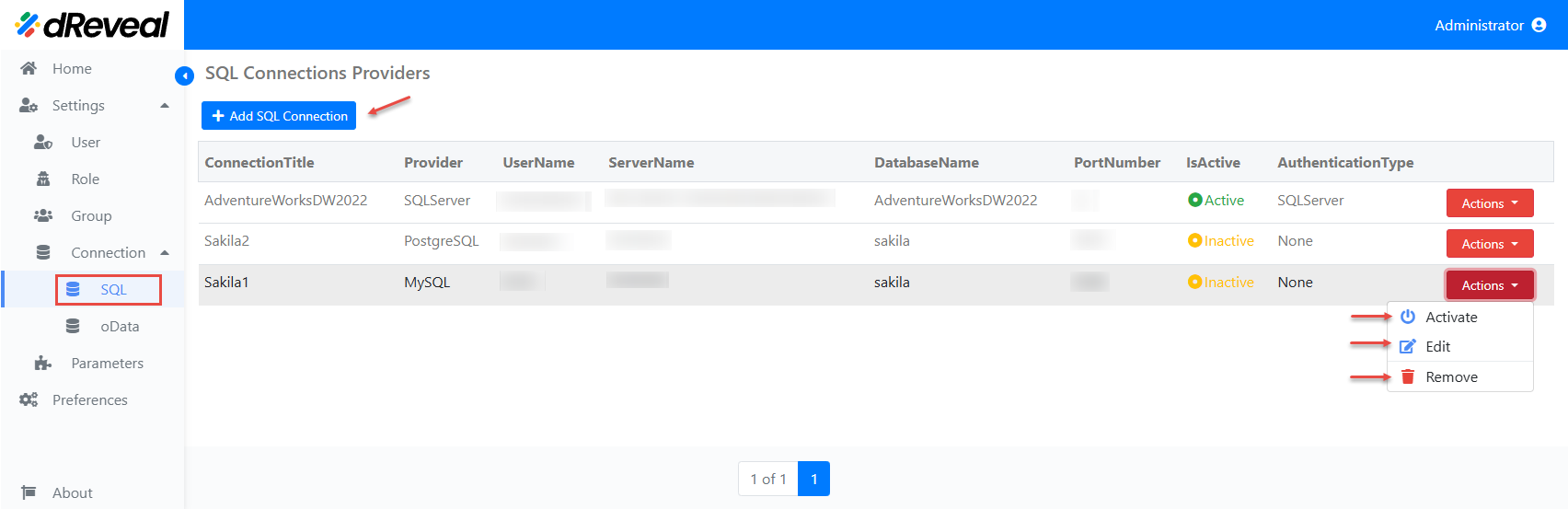
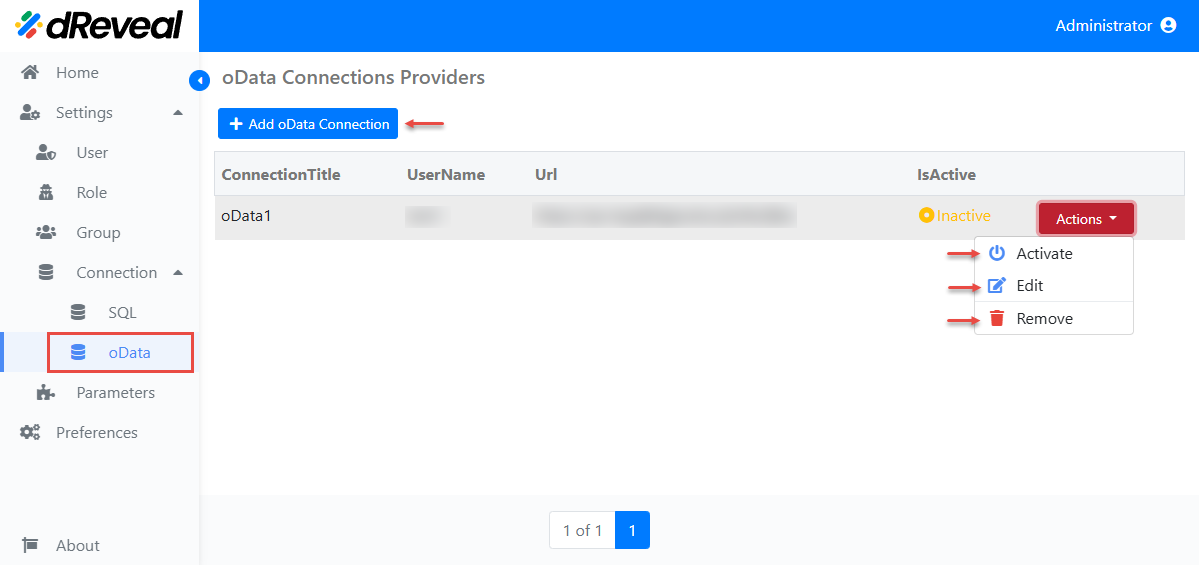
Navigate through the left menu, select Settings, then Connection, and choose the source type you need.
Source Combination Rules
- API Services, Excel, CSV, and JSON can be combined together in the same source configuration context.
- SQL Server, PostgreSQL, Oracle, MySQL, and OData cannot be combined with other data sources.
Within each type of connection, you will find actions that will assist you in managing your connection. The available actions are Add, Edit, Remove and Activete.
Note: This installation is using a sample database AdventureWorks. You can download it from:
https://learn.microsoft.com/en-us/sql/samples/adventureworks-install-configure?view=sql-server-ver16&tabs=ssms
SQL:
OData:
Data Source Support and Combination Rules
All dReveal products support these data sources:
- SQL Server
- PostgreSQL
- Oracle
- MySQL
- OData Service
- API Services
- Excel file
- CSV file
- JSON file
Combination rules:
- API Services, Excel file, CSV file, and JSON file can be combined together in the same source context.
- SQL Server, PostgreSQL, Oracle, MySQL, and OData Service cannot be combined with other data sources.